Introduction
Want to track how much you spend on what but don’t want to download every supermarket’s app / manually fill some sort of spreadsheet?
The app ( github) described here can be hosted on your machine or online so you can take a picture of your receipt with your phone upload it and later download the extracted data using a desktop machine.
App Overview
If you have a receipt like

this app let’s you extract the data in a form like the following JSON
{
    "shop": {
        "name": "My Supermarket",
        "date_str": "2024-10-14",
        "time_str": "13:12:00",
        "total": 6.5
    },
    "items": [
        {
            "name": "Bread",
            "price": 1.5,
            "count": 2,
            "mass": null,
            "tax": "A",
            "category": "Bread and baked goods"
        },
        {
            "name": "Milk",
            "price": 2.0,
            "count": 1,
            "mass": null,
            "tax": "B",
            "category": "Dairy"
        },
        {
            "name": "Eggs",
            "price": 3.0,
            "count": 6,
            "mass": null,
            "tax": "A",
            "category": "Dairy"
        }
    ]
}
What does the app look like you ask? :-)
Screenshots and Visuals
Login

Upload


Rotation

Cropping

Extraction & Wrangling

Collection

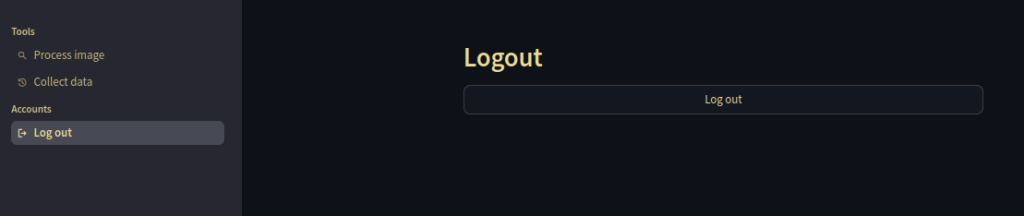
Logout
Usage
Start by taking a picture on your phone, then go to the site you hosted the app under using railway.app (see github), log in, upload the picture, rotate and crop it as needed, send the picture off to Claude for data extraction, edit the returned data, if necessary. After clicking “Continue” on the extraction & wrangling screen, you will see the upload screen again so you can upload more pictures if you’d like. If not you can log out of the site on your phone. The data will remain on the server, so you won’t loose it.
After you have done this process for one or more pictures you can collect the extracted data in csv, excel or zip, e.g. by logging into the app from your desktop machine, and going to the “Collect data” page under “Tools” in the sidebar on the left. There you can also wipe your data by clicking “Delete history”.
Alright, interested in more technical details to potentially deploy the app? :-)
Technical Details
The app is entirely written in Python 3.12, using the following tools
- rye: python project and package manager
- streamlit: web frontend
- bcrypt / sqlite3 / postgresql (@ railway): password based user authentication
- instructor / anthropic: data extraction via vision-language model including response validation
- polars: spreadsheeting
- docker / railway.app: deployment of the app
- playwright & pytest: (cicd) testing
Deployment with railway.app is quite doable using the provided cli. Running
railway login
to log into the service,
railway init
to create a new project
railway up
to deploy the service from the current directory and
railway down
to take the service offline by removing the last deployment. Pricing is also quite acceptable, and currently you get a $5 starter credit.
Note that railway.app you currently host the service in the US.
Conclusion
I hope you found the read interesting and are now intrigued and in the mood to get your hands dirty, either deploying the app as is or modify it to satisfy your automation needs. :-)
Amazing how much easier it has become to do a useful OCR pet project, including web frontend, compared to even a year ago, no?
Call To Action
If you want to get into the technical weeds check out the github repo, and if you liked it maybe leave a star and subscribe. :-)